
Unleash Pure Harmonic Gravity.
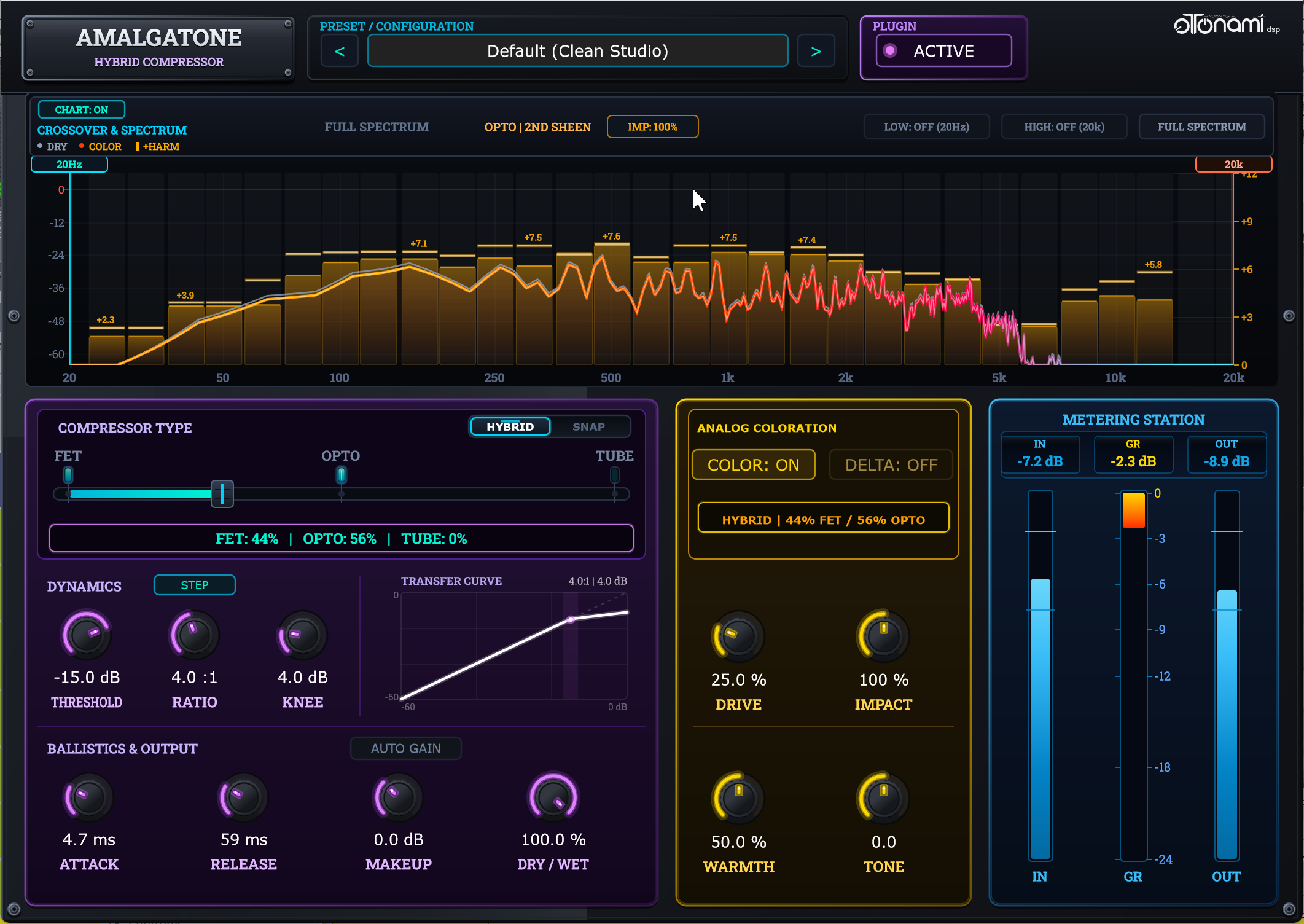
Amalgatone is a hybrid compressor that seamlessly unifies FET, Opto, and Tube circuit morphing with a dedicated analog coloration engine and surgical split-band control. Engineered for mixing engineers, producers, and musicians who demand effortless dynamic control and unforgettable analog character.
Hear the Transformation in Real Time
Hear Amalgatone in action right in your browser. Compare the unprocessed mix against our compression and coloration stages, or check out the video walkthrough.
Acoustic Drum Kit
Studio Acoustic Drums • Punch & Body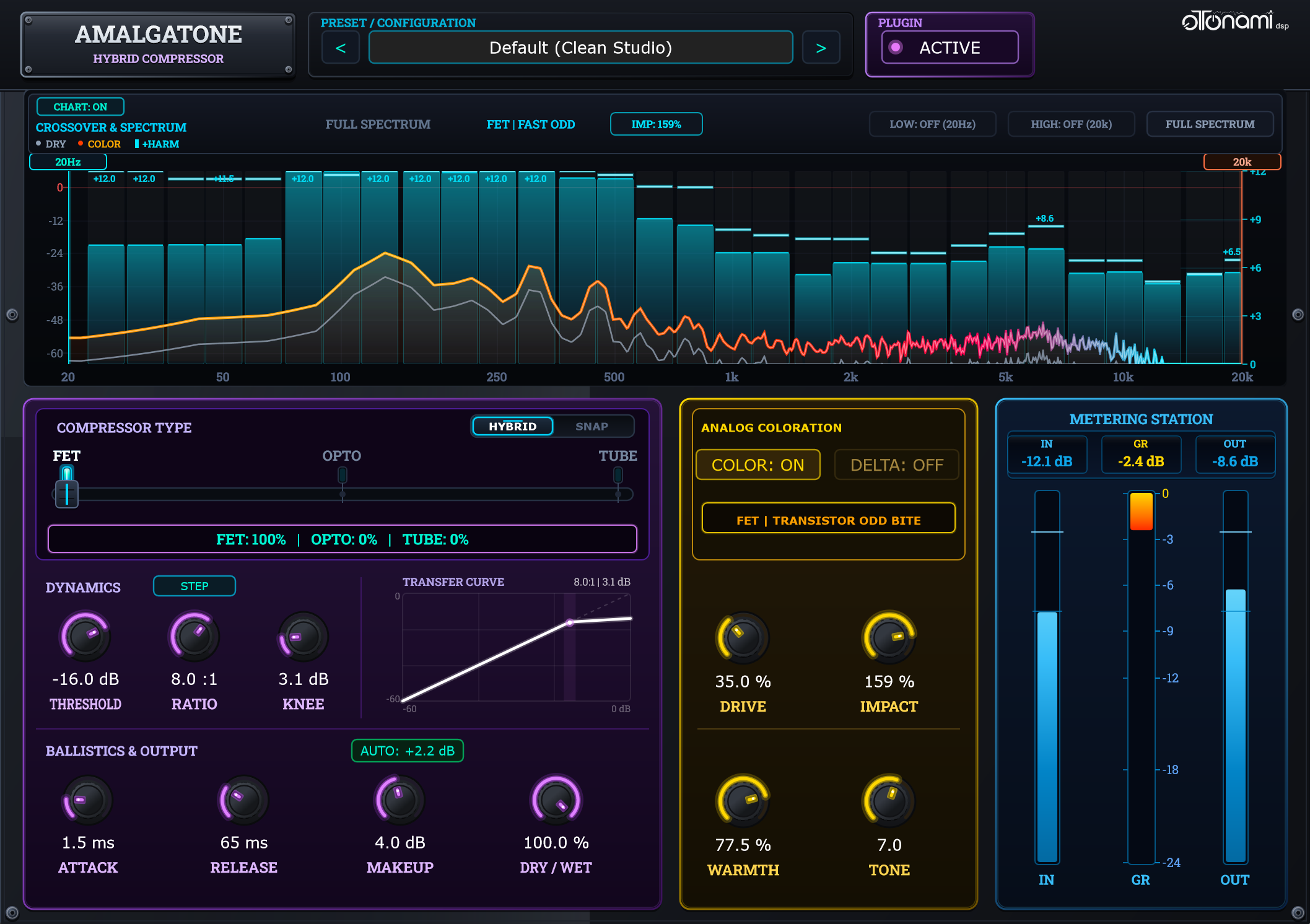
The Inspiration Behind Amalgatone
Classic analog compression models come with a specific sonic identity, dictated by the designer's choice of physical circuit components. For decades, mixing engineers and producers have had to juggle separate units for every mixing task.
Amalgatone breaks down these boundaries, putting continuous topology morphing directly into your hands and unlocking infinite sonic possibilities.
Customized Dynamic Response
Morph from fast FET punch to silky Opto or Tube character with a single control. Sculpt your ballistics and
compression curve to fit your sound perfectly.
- Smart auto-gain for effortless gain staging
- Seamless compression style morphing
Harmonic Coloration & Warmth
Enrich your sound with topology-aware harmonic saturation. Shape your tone with dedicated Drive, Warmth, and Tone controls, or engage Color Delta to monitor added harmonics in real time.
- Real-Time Spectrum Visualizer
- Tone sculpting at your fingertips
From Instant Presets to Custom Flavors
Explore configurations, save your own, or export them to share with friends and collaborators. Use the visualizer to fine-tune your sound, then disable it when you're done to save CPU for the rest of your mix.
- Built with JUCE framework
- Phase-Coherent Linkwitz-Riley Split-Band Processing
Three Dedicated Analog Topologies
Whether you need blistering FET transient punch, silky Opto vocal leveling, or warm Tube mix glue, Amalgatone adapts in a single move. Lock strictly to classic hardware responses, or morph continuously between them to create custom hybrid dynamics.
Presets Included
Versatile, production-ready starting points tailored for any source—from transparent leveling to aggressive harmonic drive.
Warm Tube Bass
Low-end weight and body: Tube 2.0, 85% warmth (2nd-order harmonics), high-cut @ 8 kHz to roll off fizzy top-end.
Master Glue (Hybrid)
Musical mix cohesion: Hybrid 1.5 (Opto/Tube blend), gentle 2:1 ratio, 30ms attack, 200ms release, subtle warmth.
Opto Vocal Leveler
Smooth, transparent vocal leveling: Opto 1.0, 3:1 ratio, Auto-Gain active, low-cut @ 80 Hz to preserve warmth without rumble.
Punchy Drum Bus
Aggressive snap and glue: fast FET 0.0, 1.5ms attack, 65ms release, 85% parallel mix, 55% saturation drive.
Shaping Waves. Inspiring Sound.
oTonami is inspired by the Japanese words 音 (Oto), meaning sound, and 波 (Nami), meaning wave. The core vision is to build audio tools that break conventional boundaries, spark creativity, and open up fresh sonic possibilities for modern music makers.
This is an independent, experimental project in its early stages, developed as a passion project by Giuliano Bonapace in his spare time. The goal is to craft powerful, accessible tools for bedroom producers and mixing engineers alike—especially those dreaming of one day holding a Grammy.
You can support oTonami simply by testing the plugins and sharing your thoughts, bug reports, and feature ideas. And if oTonami Plugins inspires your productions, you can always buy me a coffee to fuel future updates!
"Sound has meaning only because of the space that surrounds it."
Download Amalgatone for Free
No signup required. No credit card. Download and start producing in minutes.
Windows 64-bit
Windows 10 & Windows 11 (64-bit)
Intel & AMD CPUs with AVX/SSE2 support
By downloading Amalgatone, you agree to our Legal Notice & Software Disclaimer (provided “AS IS” without warranty).
macOS Universal
macOS 11.0 or higher
M1/M2/M3/M4/Intel 64-bit
By downloading Amalgatone, you agree to our Legal Notice & Software Disclaimer (provided “AS IS” without warranty).
Linux 64-bit
Ubuntu, Debian, Arch, Fedora
GLIBC 2.31+ (x86_64)
By downloading Amalgatone, you agree to our Legal Notice & Software Disclaimer (provided “AS IS” without warranty).
Includes factory presets, 100% offline processing, and zero telemetry.
Frequently Asked Questions
Windows: Launch the downloaded Amalgatone_v1.0.0_Windows_Setup.exe installer. The installer automatically deploys the 64-bit VST3 into the standard system directory (C:\Program Files\Common Files\VST3\).
macOS: Launch the downloaded Amalgatone_1.0.0_macOS_Universal.pkg installer, which automatically places both the VST3 (/Library/Audio/Plug-Ins/VST3/) and Audio Unit (AU) (/Library/Audio/Plug-Ins/Components/) plugins into your system audio plugins directories.
Linux: Extract Amalgatone_1.0.0_Linux_x64.tar.gz and run ./install.sh in your terminal (which deploys Amalgatone.vst3 to ~/.vst3/), or manually copy Amalgatone.vst3 into your DAW's VST3 directory.
After installation, restart your DAW or trigger a plugin rescan.
While traditional compressors lock you into a single static hardware model, Amalgatone lets you continuously morph across FET, Opto, and Tube topologies, making it effortless to find the exact character your track needs.
You can browse the complete interactive Online User Manual right here on our website, or download the official PDF Operations Manual for offline studio reference. It covers every control, keyboard/mouse shortcut, circuit morphing behavior, and DSP architecture detail.
We welcome all user feedback! You can write to us directly using the Contact & Feedback section below or email us directly at [email protected]. Whether you have impressions on Amalgatone's audio behavior, feature ideas for future DSP processors, or DAW compatibility notes, we personally review every message.
Get in Touch with Otonami
Have thoughts on Amalgatone, feature requests, DSP ideas, or bug reports? Drop a quick note below or email us directly—every message is personally reviewed.
We Value Your Ear & Perspective
Otonami DSP is a hobby project built for people who love making music. Your feedback helps shape what comes next.
Would love to hear:
- How does Amalgatone sound on your drums, vocals, or mixes?
- Found an issue? Share your DAW, OS, and sample rate.
- Ideas for new circuits, saturation styles, or UI tweaks?
- Examples of how you used Otonami Amalgatone.
Drop a Message
Fill out the short form below.